ChefsRecords is a food safety and staff management app for chef managers, head chefs, and sous chefs working in UK kitchens.
Your temperature checks, your daily records, and the management layer on top - all in one app. From the cooling probe to the corrective action: what went wrong, who was involved, what you did about it, and whether it is happening again.
14 days free. No card required.
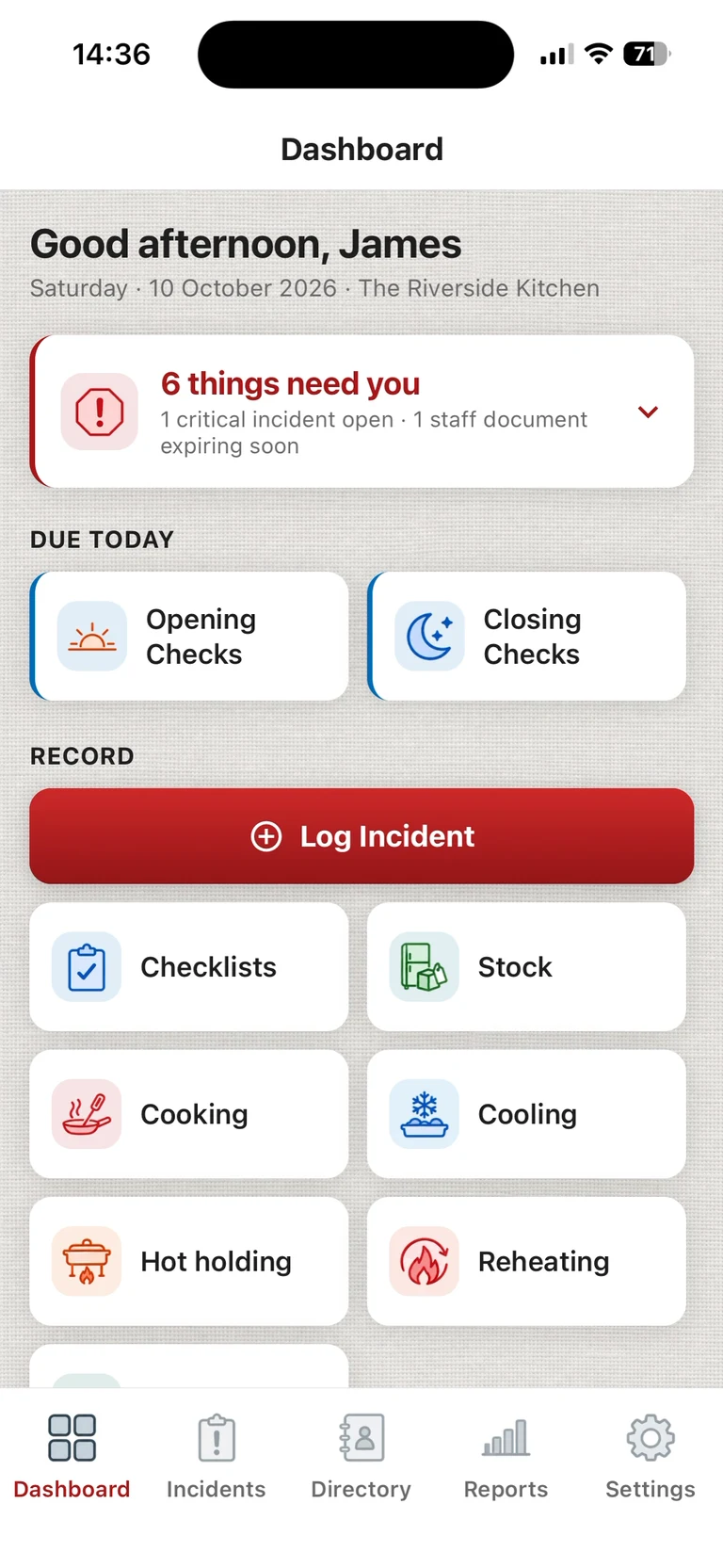
Your kitchen runs on records - temperature checks, opening and closing routines, the evidence that the job got done. ChefsRecords keeps those records for you, then adds the layer most systems miss: what went wrong, who was involved, what you did about it, and whether it is happening again. The things you currently hold in your head, in a notebook, or in a WhatsApp thread.
When an Environmental Health Officer looks at confidence in management, these records are part of the evidence they will want to see - alongside your food safety management system.
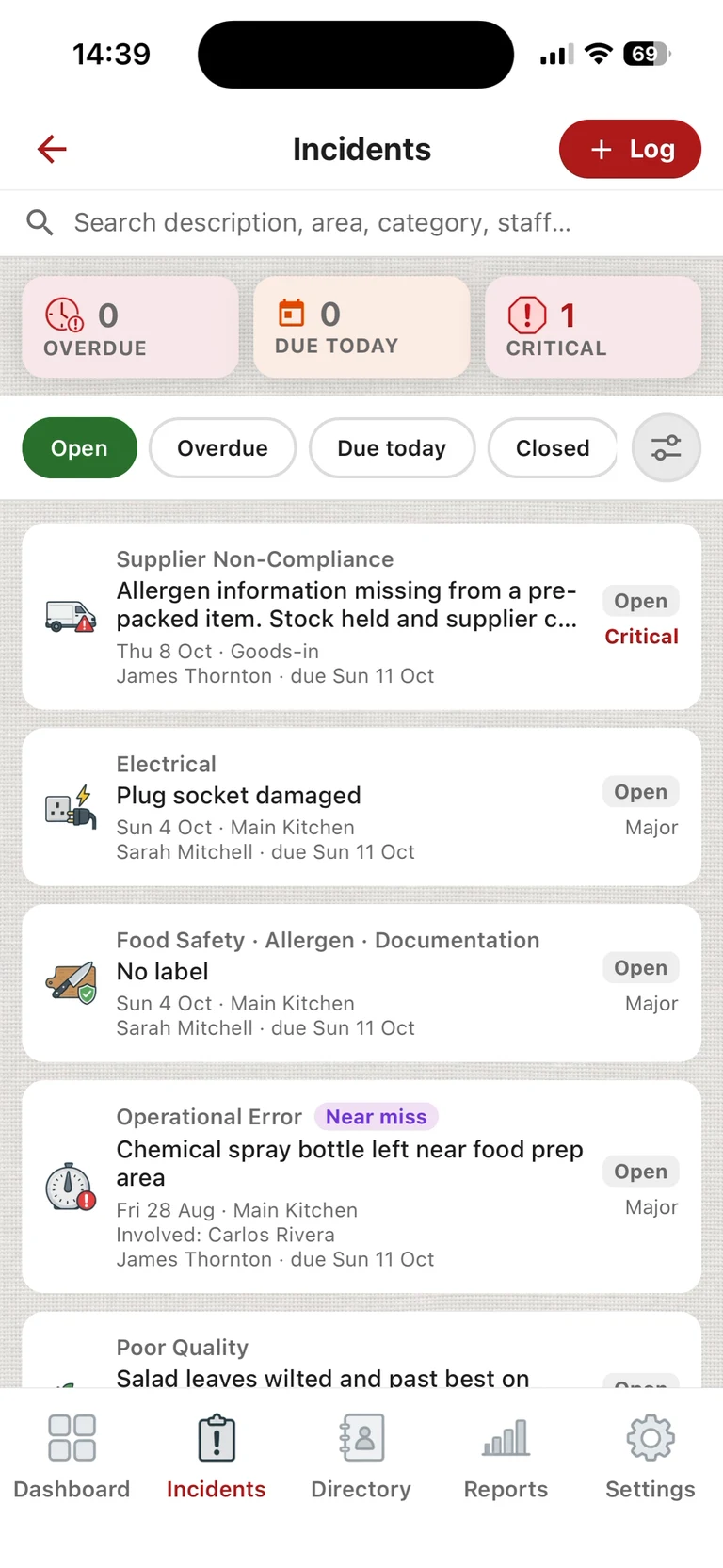
Food safety, staff, or maintenance incident - logged in seconds with a photo, a severity, and a due date. Every entry timestamped.
Attach the staff involved, close with a corrective action, and let the app flag when the same problem comes back within 30 days.
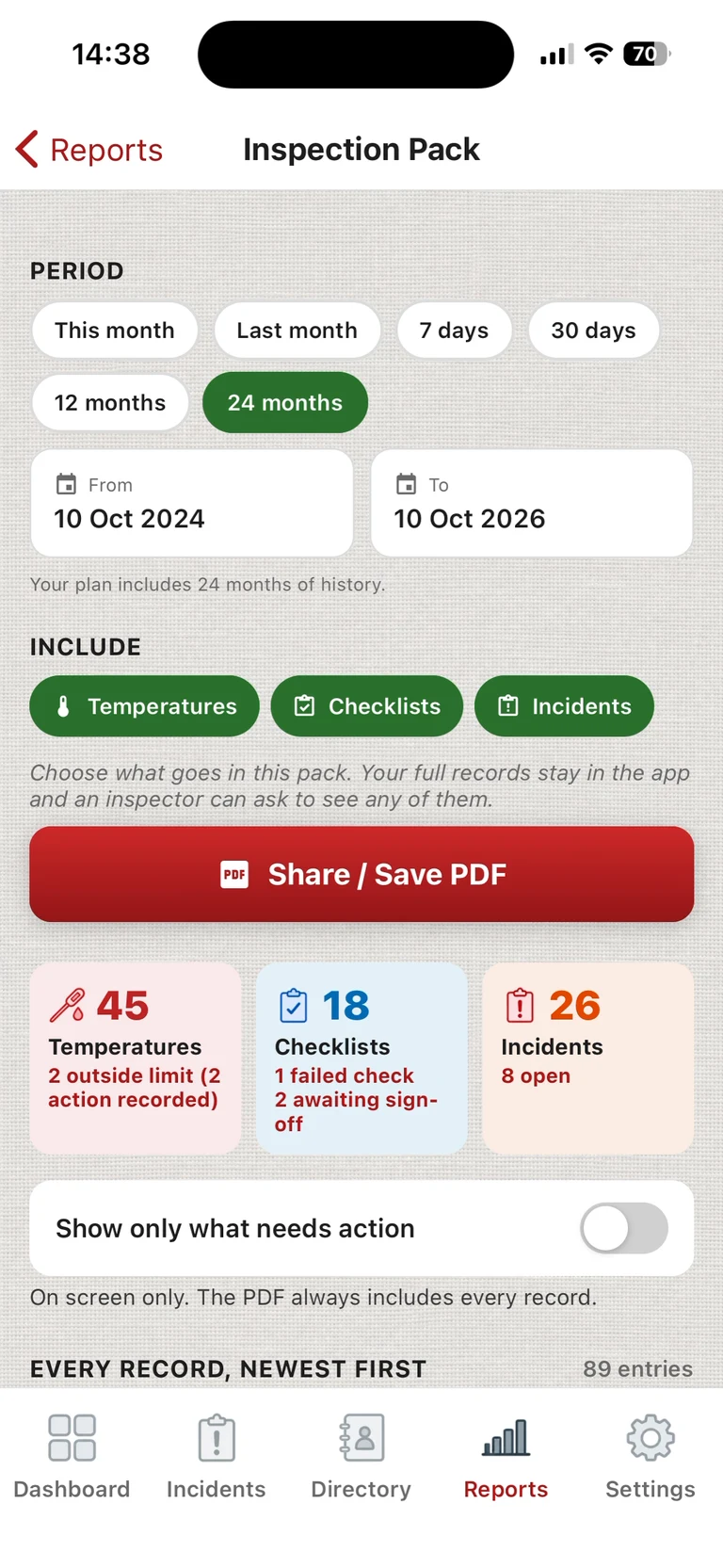
When an EHO or your area manager asks, export a PDF report of what happened, who was involved, and what you did about it.
Three of them are the reason to buy.
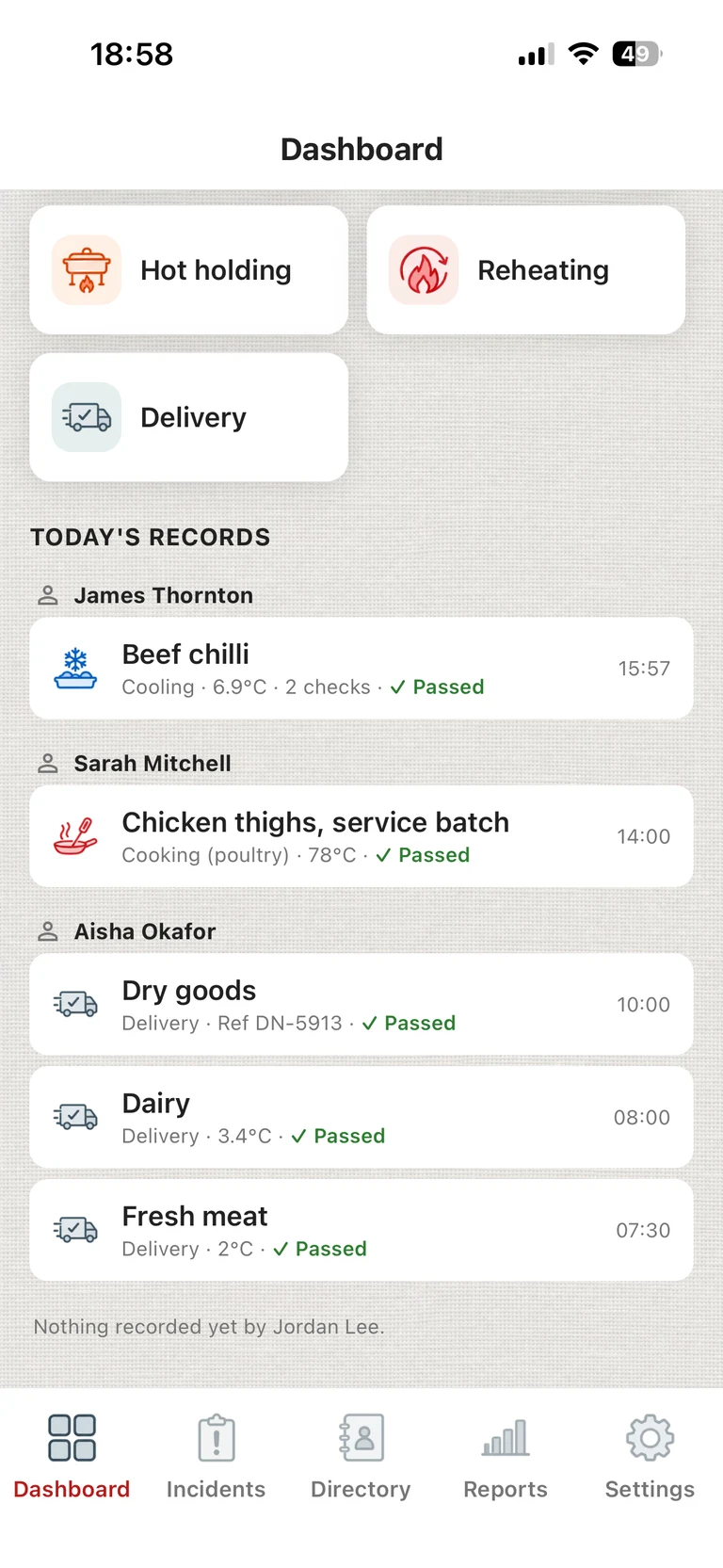
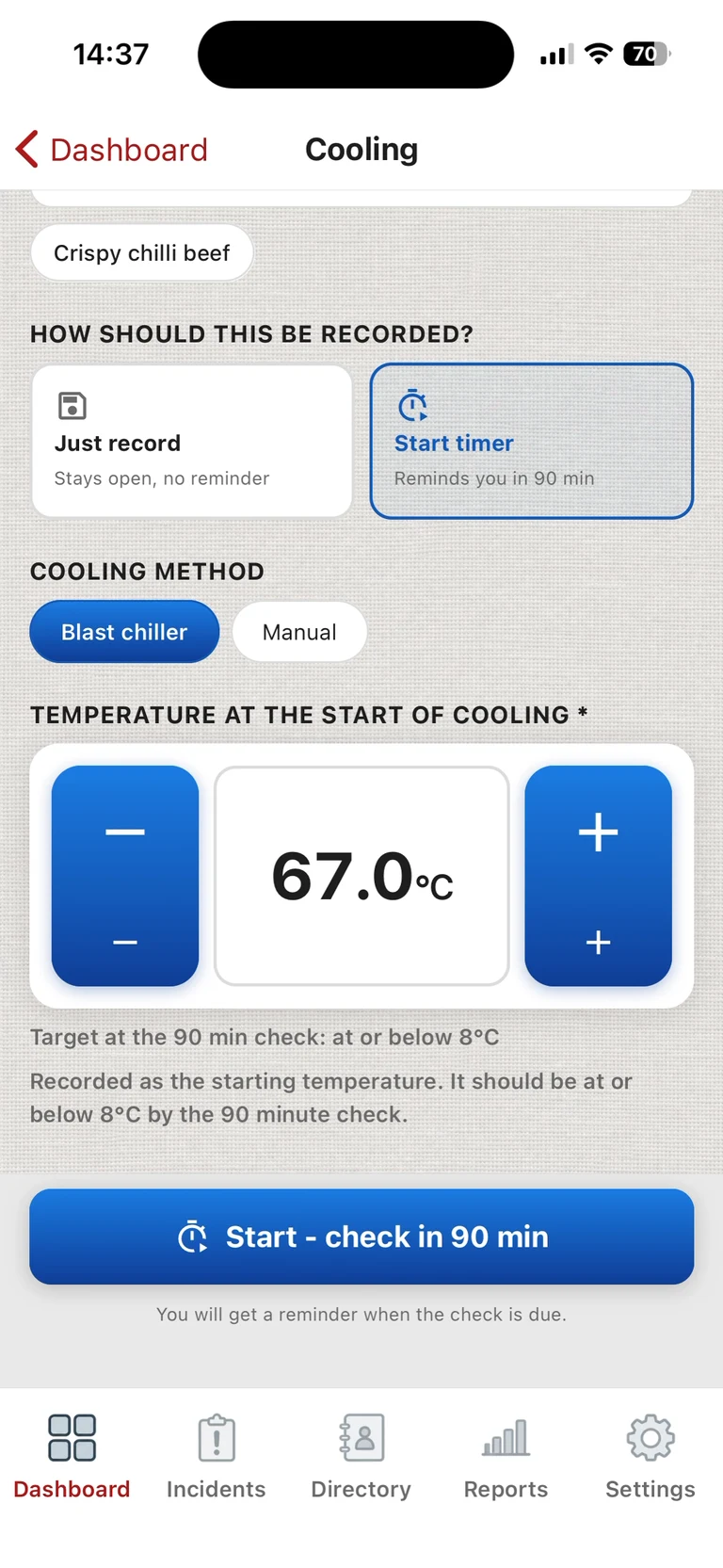
Cooking, cooling, hot holding, reheating and deliveries, each checked against a limit - the legal one where the law sets a number, and your kitchen's own target where it does not. Start a timer on cooling or hot holding and the app reminds you when the next check is due, so the cooling check that is easy to forget is not left to memory. Every reading saved with the time it was taken and who took it.
The app flags automatically when the same type of incident recurs inside a 30-day window. Stop managing the same problem informally. Start seeing it.
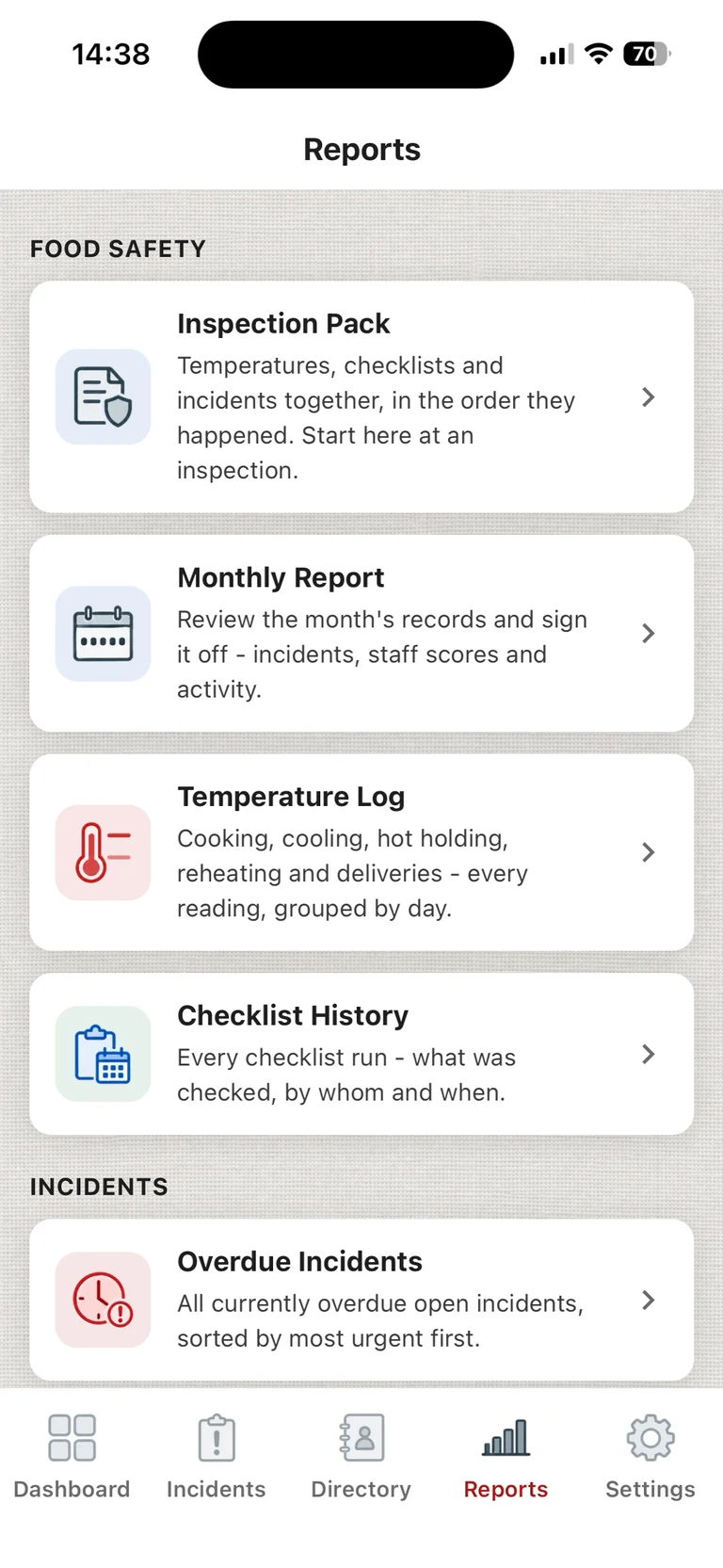
Eleven reports, led by the Inspection Pack - one document with your temperatures, checklists and incidents for any date range, ready to hand an EHO. Plus a Temperature Log, Checklist History, and reports for incidents, near misses, staff, attendance, suppliers and trends. Export as PDF or email, with page numbers, and every failed check showing what was done about it - or that nothing was recorded.
Log food safety, staff, and maintenance incidents in seconds. Attach photos, set severity and a due date, and close with a corrective action. Every entry is timestamped and auditable.
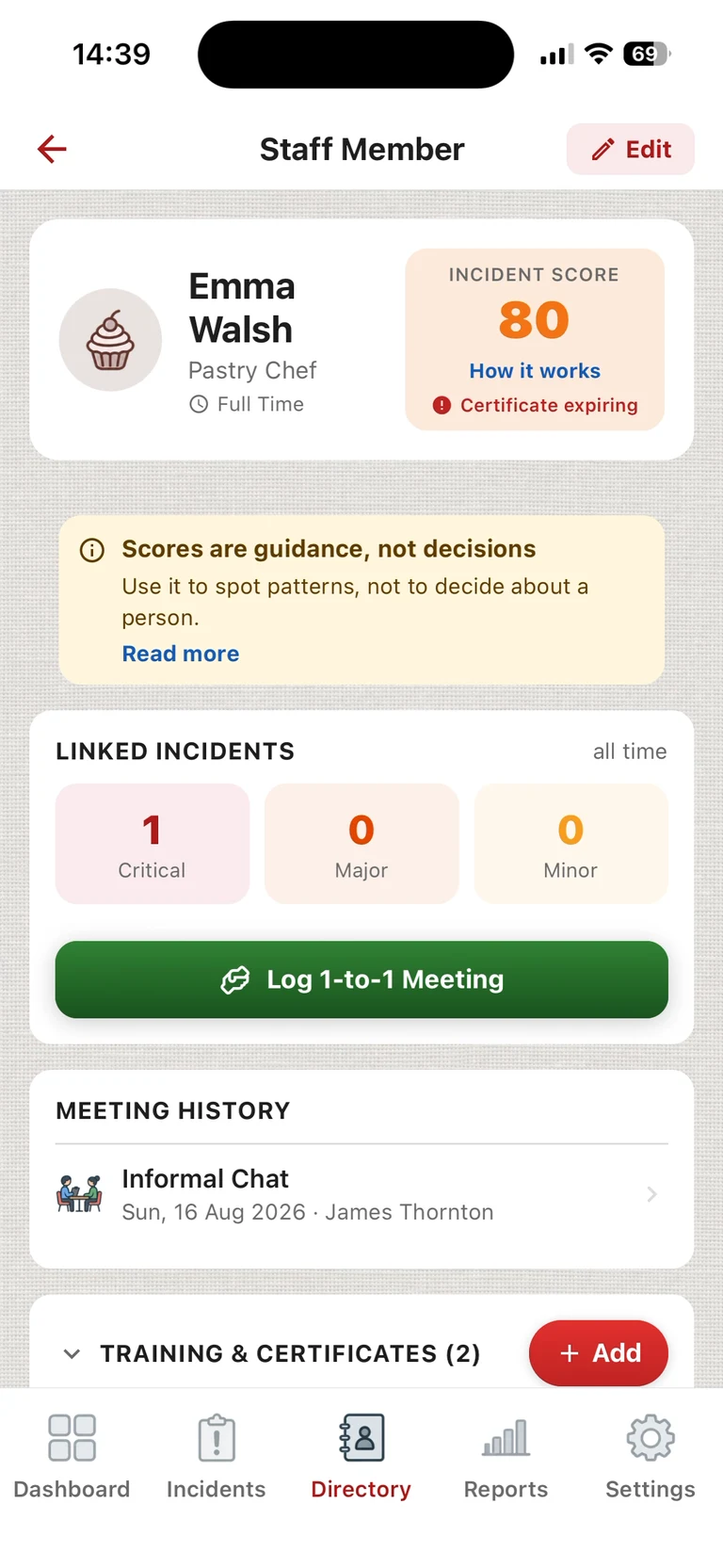
Keep each team member's training and right-to-work in date (Pro plan), log lateness, absence and overtime, and record 1-to-1s and return-to-work meetings with a signature (Pro plan). A per-person view of their linked incidents and activity, so patterns surface without living in your head.
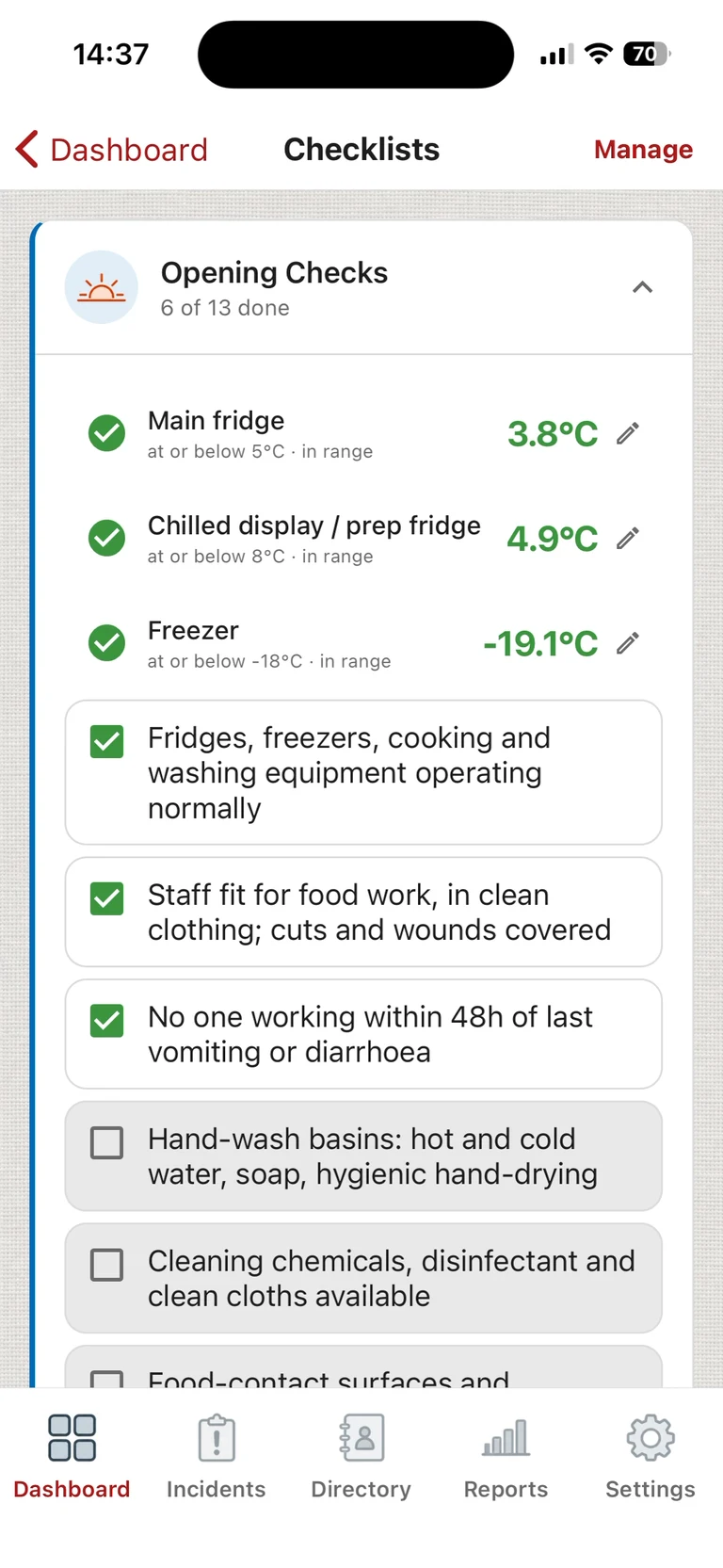
Build your own recurring checklists for opening, closing and deep-clean routines - daily, weekly or monthly. Items can be a simple tick or a temperature reading against its limit. Tick them off as the shift runs and keep a clean, signed-off history of what was checked and when.
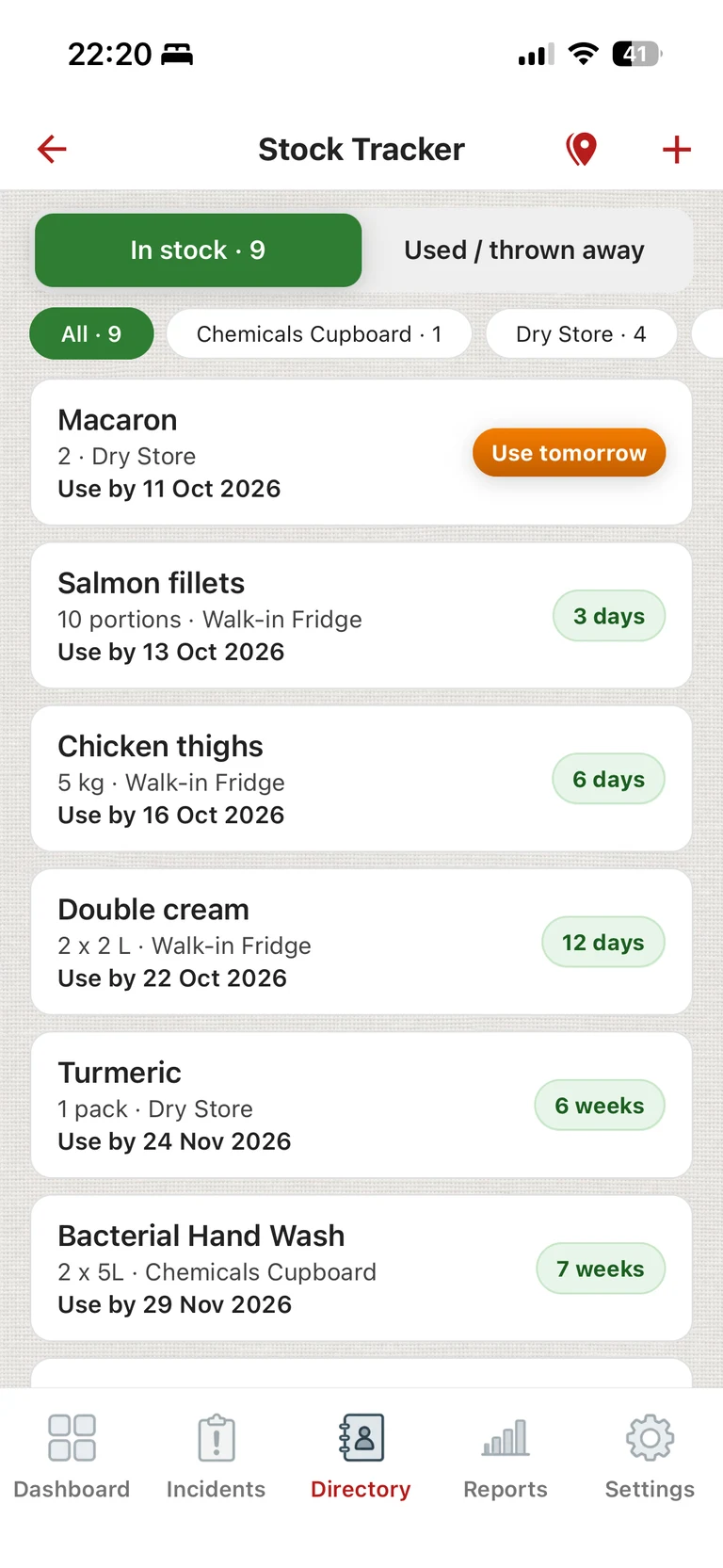
Track stock by storage location with expiry dates and advance reminders, so food gets used before it goes out of date rather than after.
Your records are saved to the cloud as you work, so a lost or replaced phone does not mean a lost evidence trail. With no signal, temperatures, checklists and incidents are saved on the phone, encrypted, and sync by themselves when you are back in range. A Manager can also export the kitchen's records as a spreadsheet at any time.
Written around UK inspection culture - Environmental Health visits, due diligence, and the ACAS Code of Practice. Not a US product with the spelling changed.
ChefsRecords is designed and run by a chef manager still working in a UK kitchen, not a software company guessing at what a service looks like.
No card required, and nothing to cancel if you decide it is not for you. If you subscribe during the 14 days, your paid plan starts that day.
Try it on a real service
or £199.99 / year
For kitchen managers and smaller teams
or £349.99 / year
For senior kitchen managers and larger teams
No. ChefsRecords holds your temperature checks and daily records, so it can take the place of a paper temperature log - but your legal food safety management system stays exactly as it is, and so do your cleaning schedules, allergen matrices and supplier paperwork. What it adds on top is the management record: incidents, actions, patterns, and people.
A notebook holds the facts, but it cannot tell you the fryer has failed three times in a month, and you cannot hand a WhatsApp thread to an inspector. ChefsRecords flags repeats automatically and turns the same five-second entries into a PDF you can put on the table.
You export the Inspection Pack - one document with your temperatures, checklists and incidents for whatever date range they ask for. Eleven reports in all cover temperatures, checklists, incidents, near misses, staff, attendance, suppliers and trends - each one dated, showing who recorded it, and ready to email or print before the officer has finished their tea.
Yes. Records are saved to the cloud, so a lost or replaced phone does not mean a lost evidence trail. Sign in on the new device and carry on. A Manager can sign the old phone out from Settings > Sign out of my other devices. Anything saved with no signal that had not yet synced is only on the old phone.
It is about the cost of one hour of agency chef cover. If it saves you one repeated incident, one disputed staffing conversation, or one scramble before an inspection, it has paid for the year. And the trial is 14 days, free, no card.
A chef manager still working in a UK professional kitchen. It was built to run a real service, then turned into an app - not the other way round.
ChefsRecords is in App Store review. Send us a message and we will tell you the day it goes live - nothing else, no list-selling.
Opens our contact form. One message on launch day, nothing else.
ChefsRecords is a record-keeping tool. It does not replace your legal food safety management system, and the staff compliance score is guidance only, not a decision about a person. Any HR action should follow your own process and the ACAS Code of Practice.